![Logo_YUKKA_News-Analytics_WEISS_Transparent.png]](https://9431966.hs-sites-eu1.com/hs-fs/hubfs/Logo_YUKKA_News-Analytics_WEISS_Transparent.png?height=40&name=Logo_YUKKA_News-Analytics_WEISS_Transparent.png)
There is a lot of news out there, and even with the best aggregation, you might prefer to only read the crucial pieces that directly affect your work.
To help you with that, we developed alerts.
These will notify you, whenever something critical happens with a company you are monitoring via news.
In order to access the alerts function, click on the bell icon in the lower left part of your cockpit: 
Doing so will open a new screen, enabling you to define the settings for your alerts:
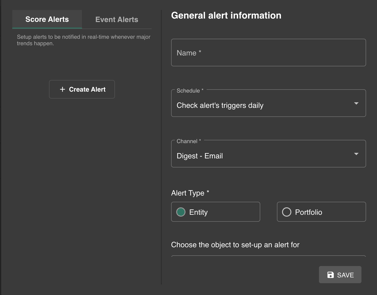
Before filling out the General alert information form, first choose which of the two alert types you require notifications for.
Score Alerts - real-time notification
Create alerts name - requires you to set a name for the alert
Schedule - will ask you to set the frequency with which the system will check whether an alert is required
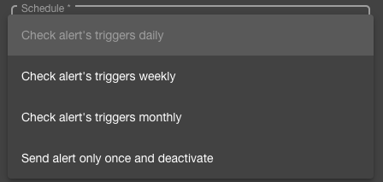
Channel - will set how often you receive the alerts
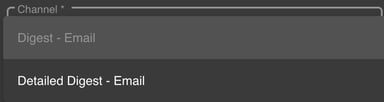
Setting "Digest" will provide you with a compiled list of all alerts that have been triggered in a certain timeframe, while "Detailed Alert" will send you an Email notification whenever an Alert is triggered.
Alert type - defines what the alert is based on as a "source"
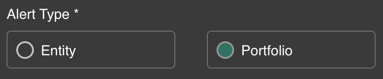
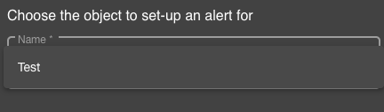
Choose an object - provides you with a drop-don selection, based on your choice in "Alert type", on which the alert will be based
Set Alert triggers - will enable you to precisely define, what will trigger the Alert to happen
You first select what score you want to base the alert on:
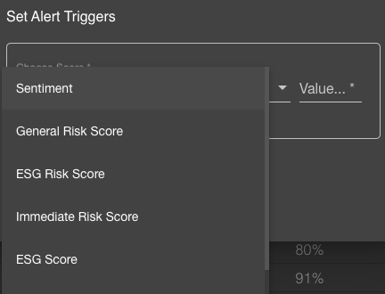
Then you will decide whether you want an alert if the threshold is smaller or bigger then the value you set in the last step.

And finally you will define the numeric value of the threshold.

The Alert will be triggered whenever the numerical value is reached.
Delta Alerts - Monitor closely once a Threshold was passed
Score Alerts support an option for more detailed monitoring of score developments by notifying users not only when scores reach specific thresholds but also when they experience any subsequent movement, no matter how small.
Delta Alerts are an an optional Setting to existing Score Alerts. To Activate, please enable "Associate a Delta Alert" to display the additional configuration panel:
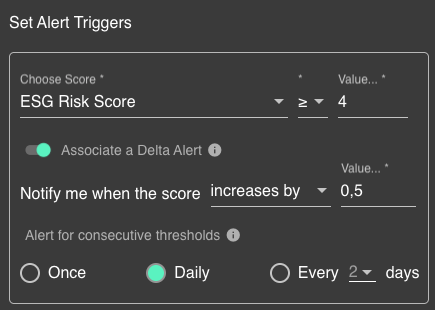
Then choose what further score development you want to monitor: you can choose to monitor score increases, decreases or changes of any direction. Associate a delta value you want to monitor. Select any number as delta – single or multiple digits allowed.
Expect more frequent alert emails with smaller delta values. To limit alert volume, adjust the "Alert for consecutive thresholds" setting — this lets you reduce or pause alerts during ongoing trends, for example, by receiving them only every other day.
Save the Alert Configuration when done and make sure the Alert is set to "active"
Event Alert - daily basis notification
Filter Events by Score - choose a score to track your specific events
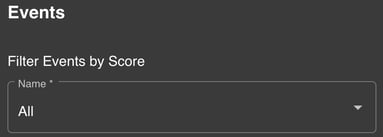
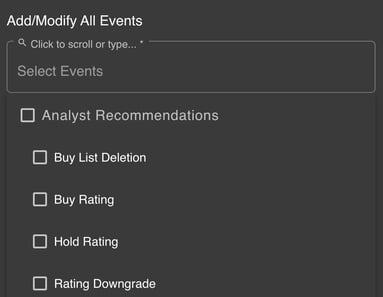
Add/Modify All Events - with a wide selection of events, you can choose one or more recommended for a more precise alert notification setting
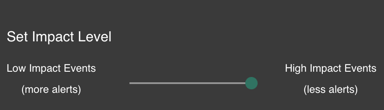
Set Impact Level - helps you modify the volume of alerts according to your choosing