![Logo_YUKKA_News-Analytics_WEISS_Transparent.png]](https://9431966.hs-sites-eu1.com/hs-fs/hubfs/Logo_YUKKA_News-Analytics_WEISS_Transparent.png?height=40&name=Logo_YUKKA_News-Analytics_WEISS_Transparent.png)
Defining queries can be tedious and it might take some time to get rid of unwanted news.
While it is an option to clearly define a number of keywords in relation to each other and build up a Boolean query to fit your specific use-case, it will often be easier to let the KI do that for you.
Recommended News are the way to go in this case.
You will define a phrase, of search words or phrases, to start the AI off. After that the AI will then screen the news for the relative positioning of the terms in the search phrase to each other and identify the related news.
In addition, to further enhance the results, you can define a threshold, that will automatically reduce the news that are below a certain margin of confidence.
To use the recommended news, please proceed like this :
Click the newsletter  icon in the lower left of your cockpit.
After making the basic settings for the newsletter, select "Recommended News" in the "Contents" Selection.
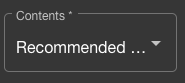
This will open up the "Recommended News Settings"
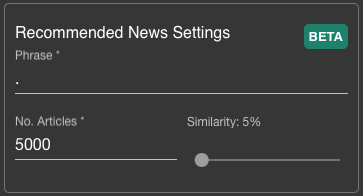
- Phrase: Will contain the Phrase that you define as a basis for the search. It can basically contain anything that you are interested in and that should be found in correlation to each other.
An Example:
Industrial accidents in metal factories
This phrase will bring up all articles that mention an industrial accident and that somewhere in the nearby areas of the text mention a metal factory
Industrial accidents in metals factories, Northern America and Europe
This will add an additional requirement that either Northern America and/or Europe are also mentioned.
Note: On the first glance this might appear as an easier way to create a Bolean query - and that would not be wrong, it can serve this purpose.
But the phrase actually does a lot more. The system will perform a semantic analysis, based on vector relation, that will confirm whether or not an article matches the criteria.
The phrase can be as long or short as you want and you can use a regular sentence structure or use keywords that you are interested in. Both will perform equally well.
Note: The search will also create a "confidence score" on the search result, which will affect other options in this section of the newsletter settings.
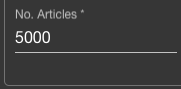
- "No. Articles" defines the maximum amount of articles that will be shown as results in the newsletter. The number can be as big or small as you like. If the number of articles for the newsletter is smaller then the amount of positive results on the search, the results with the highest confidence score will be shown.
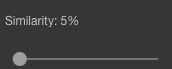
- "Similarity" defines the precision you set for the vector analysis. The higher the percentile, the lower the confidence score of search results that will still be shown. You can make every setting between 1% (99% confidence score) to 100% (all found articles), with 5% being the default (95% confidence score). These 5% have shown good results in the past and are considered to be a good starting point for you news analysis.
Once these settings have been made, you can finalise the newsletter settings as you are used to and then send the newsletter.