![Logo_YUKKA_News-Analytics_WEISS_Transparent.png]](https://9431966.hs-sites-eu1.com/hs-fs/hubfs/Logo_YUKKA_News-Analytics_WEISS_Transparent.png?height=40&name=Logo_YUKKA_News-Analytics_WEISS_Transparent.png)
As described in the entry about "flagging news", you can inform your co-workers about specific news that you want to bring to their attention.
What comes next?
The user will be informed that an article has been flagged for him.
The flagged news will be shown in a specific register in the news Tab.
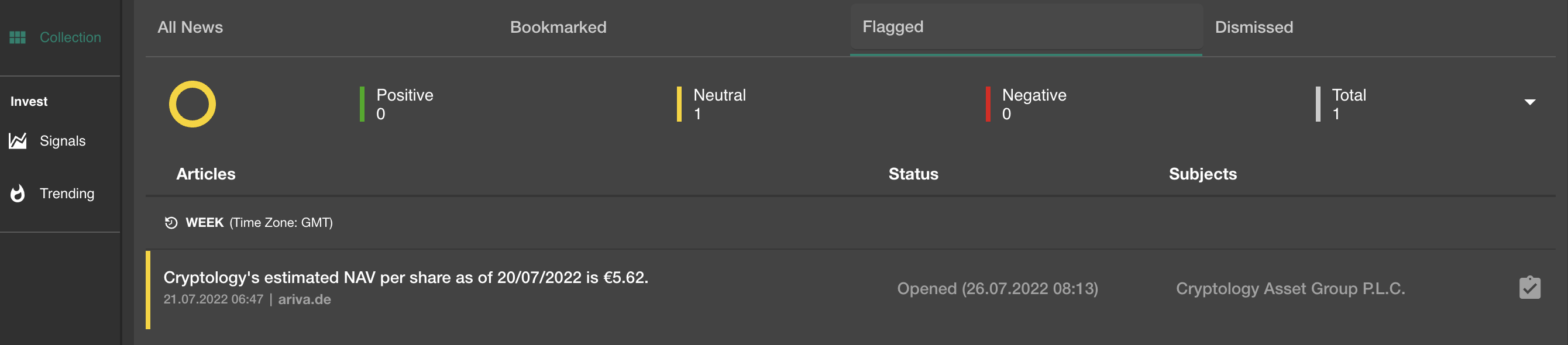
In this tab you will find all flagged articles that concern you and the status they are in, as well as the entity they are related to.
After you verified the content and have reacted, you can resolve the flag, by clicking on the "clipboard" icon on the right  .
.
The view will show you the news entry on the left, while offering this on the right side:
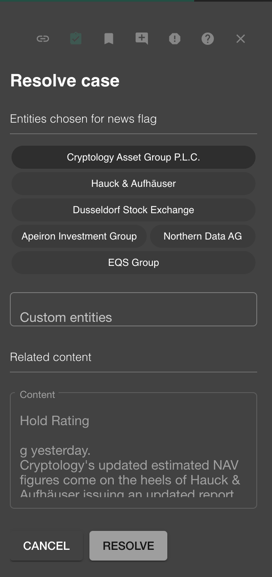
The entry will show all the selections and comments that have been made as the flag was set up.
At the very bottom of the screen you will find "Resolve comment" where you can leave a statement on how the issue was resolved.
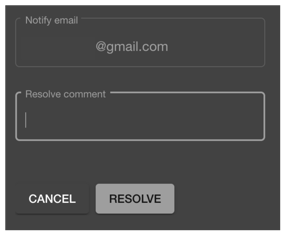
Leave a comment here and click "Resolve" to clear the flag.
The status icon in the overview will change to  .
.
You can always get back to the flagged article later on and check the entries.