![Logo_YUKKA_News-Analytics_WEISS_Transparent.png]](https://9431966.hs-sites-eu1.com/hs-fs/hubfs/Logo_YUKKA_News-Analytics_WEISS_Transparent.png?height=40&name=Logo_YUKKA_News-Analytics_WEISS_Transparent.png)
Setting Filters is time consuming and might sometimes need some tinkering, to get precisely the result that you want.
The last thing you want to do is set up those filters time and again, whenever you are going back to your cockpit after relogging.
And you don't have to. Start by going to your filter settings  .
.
Once there, create the settings as you need them. Once done, click on the "Save Filter" icon in the upper left of the Filter window:

Simply enter a name for your filter here and select "OK".
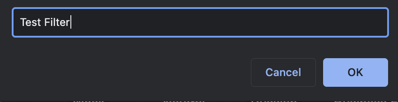
Your filter is now saved. No more need to recreate it ever again. Whenever you want to use it, you pick it from the selection on the left side and confirm the selection with "Apply Filter"
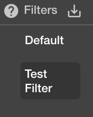
If you hover over your personal Filter, you will see, that there are two additional option here:
- "x" is used to delete the filter if you no longer need it.
- the "star" marks the filter as a new default
Setting a new default is really that easy.
So if you decide that you always work with one of your custom filters, just click on the star to the left of your filter and confirm your selection. From that point forward your custom Filter will be treated as the new default.